
Opt-in · 2026-10-08
How people opt in to our texts
SEPdigital (Avonlea Photography Studio Inc.) texts only people who asked for their own photos. Every path below shows the texting terms before the first message, and every message carries STOP. Terms · Privacy
1. Event guests sign up on their own phone
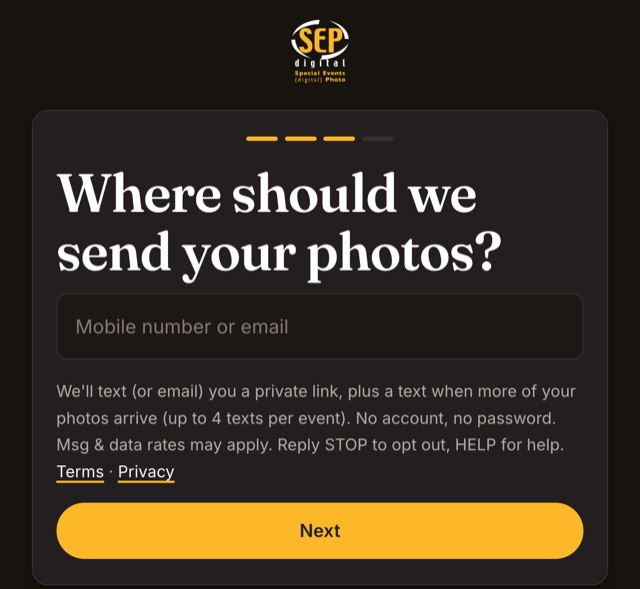
At an event, a guest scans the QR code on our sign and opens our sign-up page. They type their mobile number on the screen below; the line under the box gives the frequency, rates, STOP and HELP, with links to the terms and privacy notice.
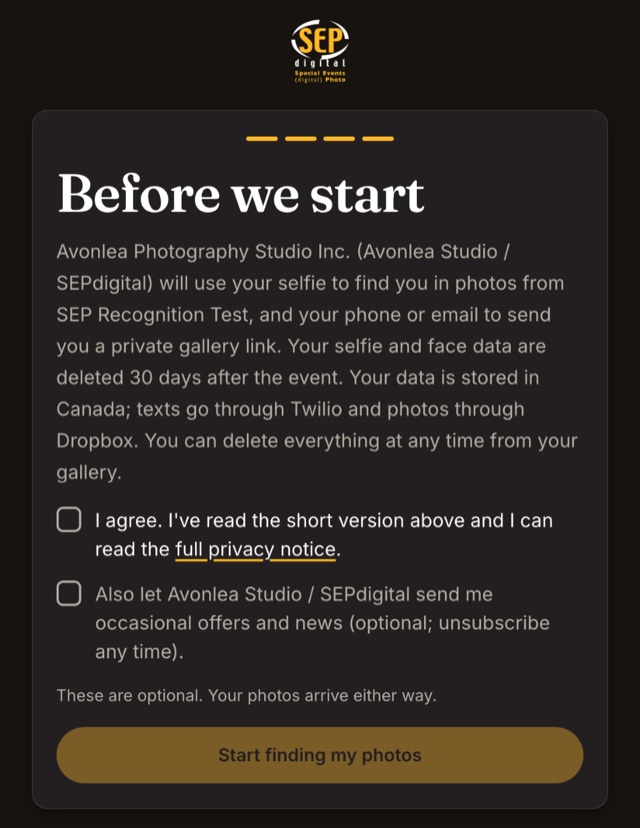
Nothing is sent and no photo is matched until they tick the consent box on the next screen:
2. Event guests text the event number
The event sign shows our number and the event code. The guest texts the code first; we reply once with the sign-up link above, which carries STOP. Nothing more is sent unless they complete that sign-up.
3. Guests give their number to our photographer
A guest (or a parent, for their child) tells our photographer their mobile number and asks for their photos. We send one text, “SEPdigital here. We took your photo at [Event name] and can send you your photos. See how it works: [link]. Reply STOP to opt out.” The link opens the same consent step; nothing else is sent until they agree there.
4. Seasonal gallery customers
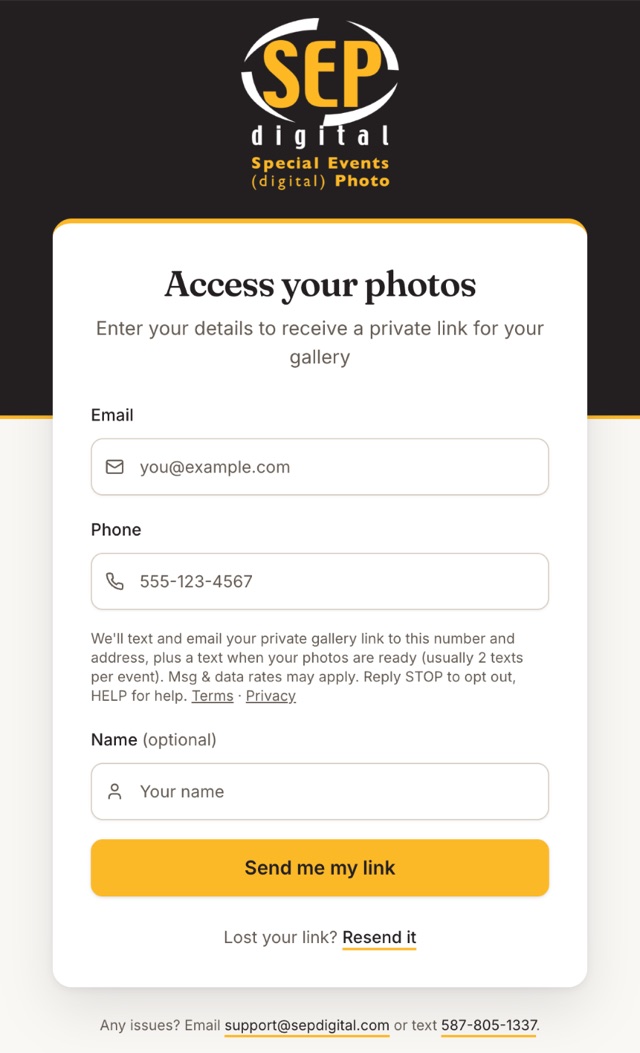
Customers sign up on our gallery page (at the counter's QR code, or at gallery.sepdigital.com). The line under the phone box gives the frequency, rates, STOP and HELP, with links to the terms and privacy policy.
Stopping
Reply STOP to any message to stop all texts from this number, START to opt back in, HELP for help. Questions: support@sepdigital.com, 780.482.4747.